Difference between revisions of "mosCura:Result Custom View"
Jump to navigation
Jump to search
MartinHeide (talk | contribs) |
MartinHeide (talk | contribs) |
||
| Line 32: | Line 32: | ||
File:MosCura_ResultCustomView_5.png|Shared Form with values | File:MosCura_ResultCustomView_5.png|Shared Form with values | ||
File:MosCura_ResultCustomView_6.png|Shared view | File:MosCura_ResultCustomView_6.png|Shared view | ||
| + | File:MosCura_ResultCustomView_7.png|Shared view | ||
</gallery> | </gallery> | ||
Revision as of 16:06, 5 September 2019
The custom view can be configured as Shared or personal.
Contents
Types
To create a shared view
- Click Machine Config
- Click the plus sign on the Shared Result Views
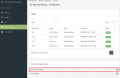
Click plus to create shared view

Personal
To create a personal view
- Click Result -> My views -> Create View
This view will only be visible for the user, that created it.

My Views

Create view
To create a custom view
- Type in view name
- Type in a description
- Select the state Active or Inactive.
- Select Show on the result tags you wish to see
- Drag the tags to fit the order you wish
- Click Create
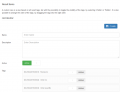
Form to fill out
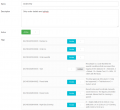
Personal Form with values
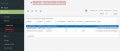
Personal view
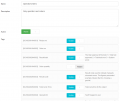
Shared Form with values
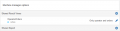
Shared view
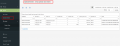
Shared view


