mosCura:Result Custom View
Jump to navigation
Jump to search
The custom view can be configured as Shared or personal.
Contents
Types
To create a shared view
- Click Machine Config
- Click the plus sign on the Shared Result Views
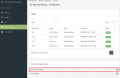
Click plus to create shared view

Personal
To create a personal view
- Click Result -> My views -> Create View
This view will only be visible for the user, that created it.

My Views

Create view
To create a custom view
- Type in view name
- Type in a description
- Select the state Active or Inactive.
- Select Show on the result tags you wish to see
- Drag the tags to fit the order you wish
- Click Create
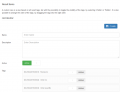
Form to fill out
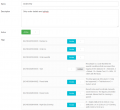
Personal Form with values
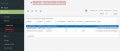
Personal view
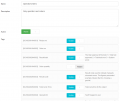
Shared Form with values
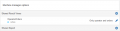
Shared view
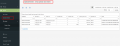
Shared view


Edit view
- Click Machine Config
- Click the pencil icon on the desired view
- Edit
- Click Save
Personal view
- Click Results -> My views -> desired view
- Click the pencil icon next to the header
- Edit
- Click Save
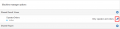
Edit shared view
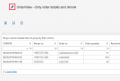
Edit personal view


Delete view
- Go to the edit page
- Click the delete icon in top right corner
- Confirm that you want to delete the view
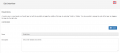
Click delete in the top right corner
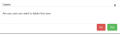
Confirm delete


