mosCura:Result Handling
Jump to navigation
Jump to search
The default result view is All results. They are shown in a data grid style. Please go to Datagrid to see the functionality of this.
Result selection
The default selection of the result is the last week. To change this:
- Click on the data selection
- Choose the to and from date and then click Apply OR
- Select a pre-selection from the list e.g. Last week
- The number of rows in this selection will be show in text above
- Click Update
- If you want to see more or less
- Select the e.g. Show: 100
- Click Update
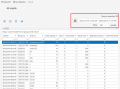
Result selection
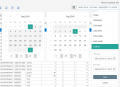
Selection open


Result export
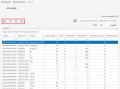
Result export

 - Export to Excel
 - Export to csv
 - Export to pdf


View recipe for result
mosCura will store the historic recipe for each result set. This can be viewed by
- Select the desired result set
- Click the View recipe icon
 - View specific recipe version for this exact result set.

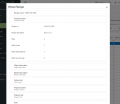
View recipe

