mosCura:Dashboard AddElement
Jump to navigation
Jump to search
Add dashboard element
In the top left corner menu, select Add new.
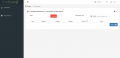
New Dashboard Element

Select Dashboard type element and Machine from where the data should be. And select Create new link: dashboard types
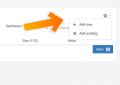
New Dashboard Element

General element values
| Parameters | ||
|---|---|---|
| Active | Active / Inactive selection | If active the element will be shown on the dashboard |
| Header | Header text | Will be shown at the top of the element |
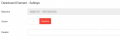
General element values

Filter
Elements
