mosCura:Recipe Config Multiselector
Revision as of 13:28, 3 September 2019 by MartinHeide (talk | contribs)
The multi tag selector, can be used to configure on tag to contain several pieces of information. You can select and de-select each different tag values.
You will need a tag configured as Multi tag

Tag configured ad Multi selector tag

Edit values for Multi selector tags
- Go to Recipe -> Multi values. Only machine administrators
- Select the tag
- Click the Add button
- Enter Description and Value
- Click Create new
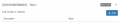
Add value to Multi selector tag
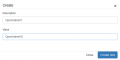
Create value to Multi selector tag
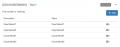
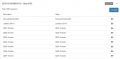
Multi selector value list

Edit or delete value


Use Multi selector tag
- Go to the desired recipe
- Go to the Multi selector tag
- Select or de-select the values
- Save the recipe

Multi tag values

Multi tag as it will return in recipe
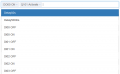
Multi tag list
Multi tag config

If no tag are set as multi tag


