mosCura:Recipe Handling
Revision as of 11:59, 27 January 2022 by NolekAdmin (talk | contribs)
The recipe area is where all test parameters are handled.
Contents
Create recipe
Select Plus icon in top right-hand corner

Create recipe

Fill out form. Recipe name: Illegal characters, only [a-z, A-Z,0-9, -]. No spaces. And click Create new
Select recipe
- Go to Recipe -> Recipe
- Click the icon next to "Select..."
- Select the desired recipe
- Click Select
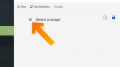
Click the icon next to "Select..."
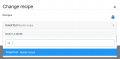
Select recipe


Show/Edit recipe
Recipe details

Show recipe details
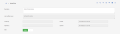
Recipe details extended


Recipe menu with Partial and without Deletion

Recipe menu without Partial and with Deletion


 - Create new recipe
 - Copy selected recipe
 - Show recipe history
 - Show partial recipes connected
 - Print recipe
 - Show/Hide group descriptions
 - Show/Hide deactivated recipes in menu
 - Delete Recipe


IMPORTANT
A recipe can not be deleted if it has been used.
Once a recipe is deleted it can not be restored.
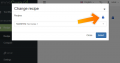
Show deactivated recipe
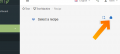
Show deactivated recipe


Recipe values
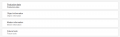
Recipe groups
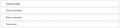
Recipe groups without description
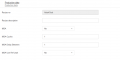
Recipe items


Rules
- The [SG01IG001IN0001] Recipe no, cannot be updated. Is it locked to the recipe name
- Before saving, enter the Last modified reason. See Recipe config for length requirements
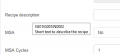
Recipe tooltip on hover

Recipe value tooltip on hover


