mosCura:Report Feature
Jump to navigation
Jump to search
The Report Designer in mosCura has so many possibilities from the creation of a very simple Report with one label and up to a very complex Report with multiple charts and etc.
The main Report Designer Features are:
- Provide Data
- Bind the Report Data Source to SQL server in order to supply the report with data.
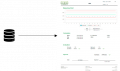
Report Data

- Data Shaping
- Summarize, Grouping, Filtering, Sorting, Data Formatting, Math calculation
- Report Controls
- Includes controls like charts, cross tabs, gauges, bar codes, etc., for visualizing data.
- Parameters Support
- Using report parameters to filter data or display its value in the report.
- Print Preview
- Instantly preview the changes of the report
- Report Navigation
- Allows you to create bookmarks and use cross references to display the document structure.
- Styles and Appearance Settings
- Customize the style of the Report( label, chart, tables, etc.)
