Difference between revisions of "mosCura:Admin Report ShowDetails"
Jump to navigation
Jump to search
| Line 7: | Line 7: | ||
#Click the arrow at the right of the Report | #Click the arrow at the right of the Report | ||
#Press "Show Details" | #Press "Show Details" | ||
| + | |||
| + | <gallery> | ||
| + | File:mosCura_Report_Admin_ShowDetails.PNG | Click the arrow and Press "Show Details" | ||
| + | File:mosCura_Report_Designer_Admin_Handle.png | Click create Report | ||
| + | </gallery> | ||
| + | |||
[[mosCura:Admin_ReportHandler|Back to Report Handler]]<br /> | [[mosCura:Admin_ReportHandler|Back to Report Handler]]<br /> | ||
Revision as of 14:14, 9 October 2020
In this functionality the admin can have an easy overview of the reports have been used for the selected report.
For example how many sub-reports have been used in the specific Main Report, and vice versa how many Main Reports using the specific Sub-Report.
To see the details of a Report:
- Click the arrow at the right of the Report
- Press "Show Details"
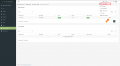
Click the arrow and Press "Show Details"

Click create Report


