Difference between revisions of "mosCura:User Report Template"
Jump to navigation
Jump to search
| Line 11: | Line 11: | ||
File:report_user_template.png| Report Template | File:report_user_template.png| Report Template | ||
</gallery> | </gallery> | ||
| + | |||
| + | |||
| + | [[mosCura:User_Configuration|Back to user report configuration]]<br /> | ||
Revision as of 09:36, 13 September 2019
The first step of the configuration is the part that the user selects the visual part of the Report.
In this step there are four options for the user to setup:
- The template of the Report(Graphic part)
- The name of the report who prefers
- A short description
- If the values of the generated report should be in Scientific notation
- Press Next to continue to the next step
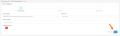
Report Template

