Difference between revisions of "mosCura:Recipe Config Multiselector"
Jump to navigation
Jump to search
MartinHeide (talk | contribs) |
MartinHeide (talk | contribs) |
||
| Line 1: | Line 1: | ||
The multi tag selector, can be used to configure on tag to contain several pieces of information. You can select and de-select each different tag values. | The multi tag selector, can be used to configure on tag to contain several pieces of information. You can select and de-select each different tag values. | ||
| + | ====You will need a tag configured as Multi tag==== | ||
<gallery> | <gallery> | ||
File:MosCura_RecipeConfig_Multi_1.png|Multi tag values | File:MosCura_RecipeConfig_Multi_1.png|Multi tag values | ||
| Line 8: | Line 9: | ||
</gallery> | </gallery> | ||
| + | ==Edit values for Multi selector tags== | ||
| + | #Go to Recipe -> Multi values. ''Only machine administrators | ||
| + | #Select the tag | ||
| + | #Click the Add button | ||
| + | #Enter Description and Value | ||
| + | #Click Create new | ||
| + | |||
| + | <gallery> | ||
| + | File:MosCura_RecipeConfig_MultiTag_1.png|Multi tag values | ||
| + | File:MosCura_RecipeConfig_MultiTag_2.png|Multi tag list | ||
| + | File:MosCura_RecipeConfig_MultiTag_3.png|Multi tag config | ||
| + | </gallery> | ||
[[mosCura:Recipe_Config|Back to recipe config]]<br /> | [[mosCura:Recipe_Config|Back to recipe config]]<br /> | ||
Revision as of 13:19, 3 September 2019
The multi tag selector, can be used to configure on tag to contain several pieces of information. You can select and de-select each different tag values.
You will need a tag configured as Multi tag

Multi tag values

Multi tag as it will return in recipe
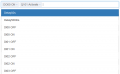
Multi tag list
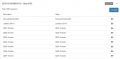
Multi tag config

If no tag are set as multi tag


Edit values for Multi selector tags
- Go to Recipe -> Multi values. Only machine administrators
- Select the tag
- Click the Add button
- Enter Description and Value
- Click Create new
- MosCura RecipeConfig MultiTag 1.png
Multi tag values
- MosCura RecipeConfig MultiTag 2.png
Multi tag list
- MosCura RecipeConfig MultiTag 3.png
Multi tag config
