Difference between revisions of "mosCura:Result Cross Search"
Jump to navigation
Jump to search
| Line 1: | Line 1: | ||
| − | + | The Cross Search functionality we have added in mosCura, it makes very easy for the User to search for result across the connected machines. | |
Before you work with this functionality, remember to configure the "Cross Search Tag No." in the machine configuration.[[mosCura:Result_CrossSearch_Config|Cross Search Configuration]]<br /> | Before you work with this functionality, remember to configure the "Cross Search Tag No." in the machine configuration.[[mosCura:Result_CrossSearch_Config|Cross Search Configuration]]<br /> | ||
Revision as of 12:27, 4 November 2019
The Cross Search functionality we have added in mosCura, it makes very easy for the User to search for result across the connected machines.
Before you work with this functionality, remember to configure the "Cross Search Tag No." in the machine configuration.Cross Search Configuration
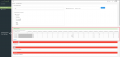
In order to search for a Result across all your connected Machines:
- Without connect to any Machine, at the left side menu press "Cross Search Result"
- Type the value you are searching for and the time period
- Select in which Machine/s mosCura should search
- Press "Search"

Cross Search
Results


