Difference between revisions of "mosCura:Admin Design"
Jump to navigation
Jump to search
| Line 6: | Line 6: | ||
</gallery> | </gallery> | ||
| − | When the | + | When the "Design report" has been clicked the page of the Report Designer will open with an empty Report where the admin can design a report from the scratch. |
<gallery> | <gallery> | ||
File:mosCura_Report_Designer_Admin_EmptyReport.png| New Report | File:mosCura_Report_Designer_Admin_EmptyReport.png| New Report | ||
Revision as of 16:08, 31 October 2019
To start the process of report design:

Click Machine config in the menu

Press Design report


When the "Design report" has been clicked the page of the Report Designer will open with an empty Report where the admin can design a report from the scratch.
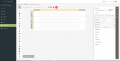
New Report

When you have finished the design of the report you can store the Report in your database.
- To store the Report
- Click the hamburger button.
- Press "Save..." or "Save as..."

Open Menu

Press "Save" or "Save as"


Furthermore, in the Report Designer you can edit an existing Report that is stored in your database.
- To open and edit an existing report:
- Click the hamburger button.
- Press "Open..."
- Select the Report from the List
- Press "Open"
Open Menu

Press "Open..."

Select Report and press "Open"

Selected Report


For more information how to design a report visit Report Tutorial
